Loading... Please wait...
Hover over image to zoom


Mankerlight
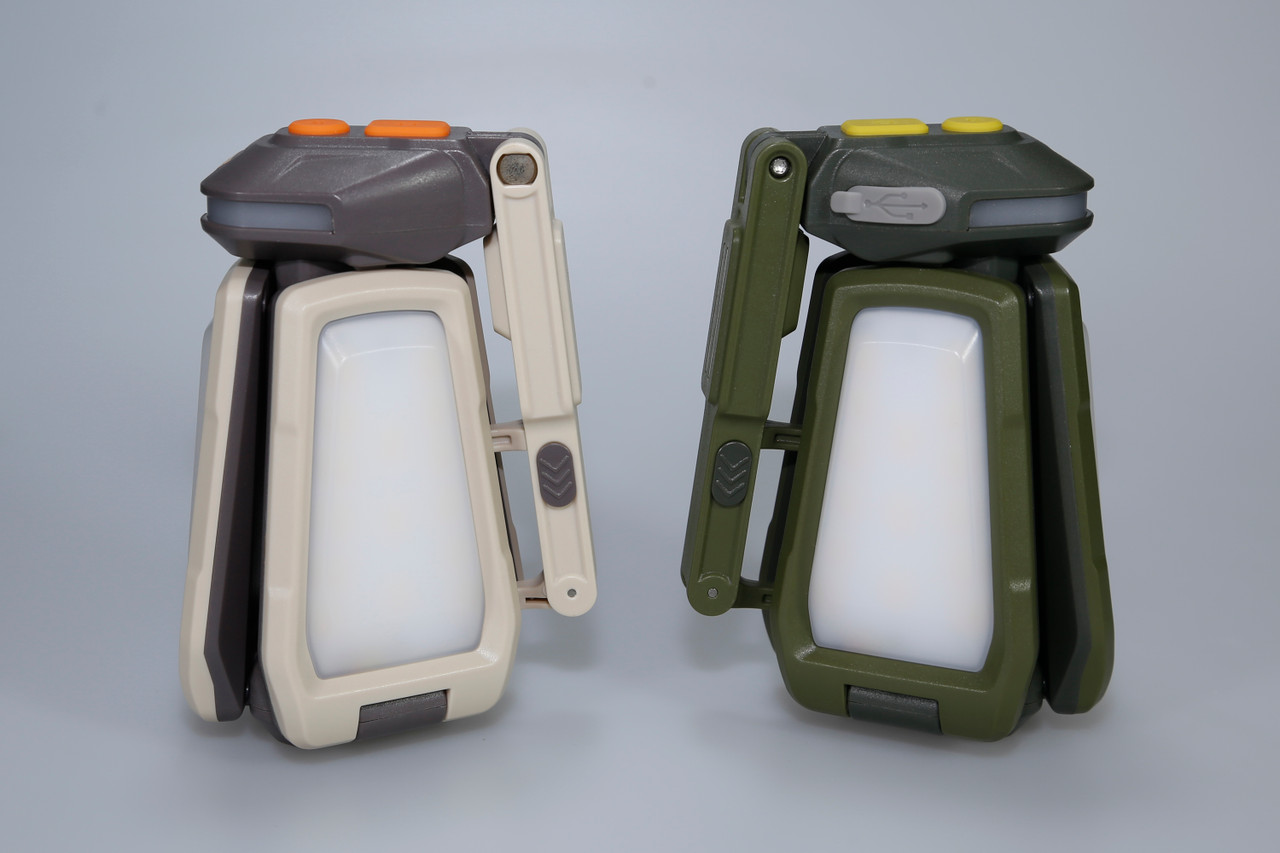
ML04 - 2000 Lumens Multi-functional Outdoor LED Lantern

)
Product Description
Main Features
【360° All-around Lighting Possible】 Main light consists of three floodlight heads with a brightness of up to 2000 lumens. Each head rotates 160°, and paired with a 210° rotable mount which built-in strong magnetic base and release hook. The beam angle can be adjusted freely for compaing, DIY and Auto repair etc.
【Multi-purpose Auxiliary Lights】 Auxiliary lights can be operated independently with three modes: red light, red flash, red/blue alternating flash. Ideal for warning light, ambiance creation, night reading, and animal observation etc. and It can also function as a battery level indicator and charging status indicator.
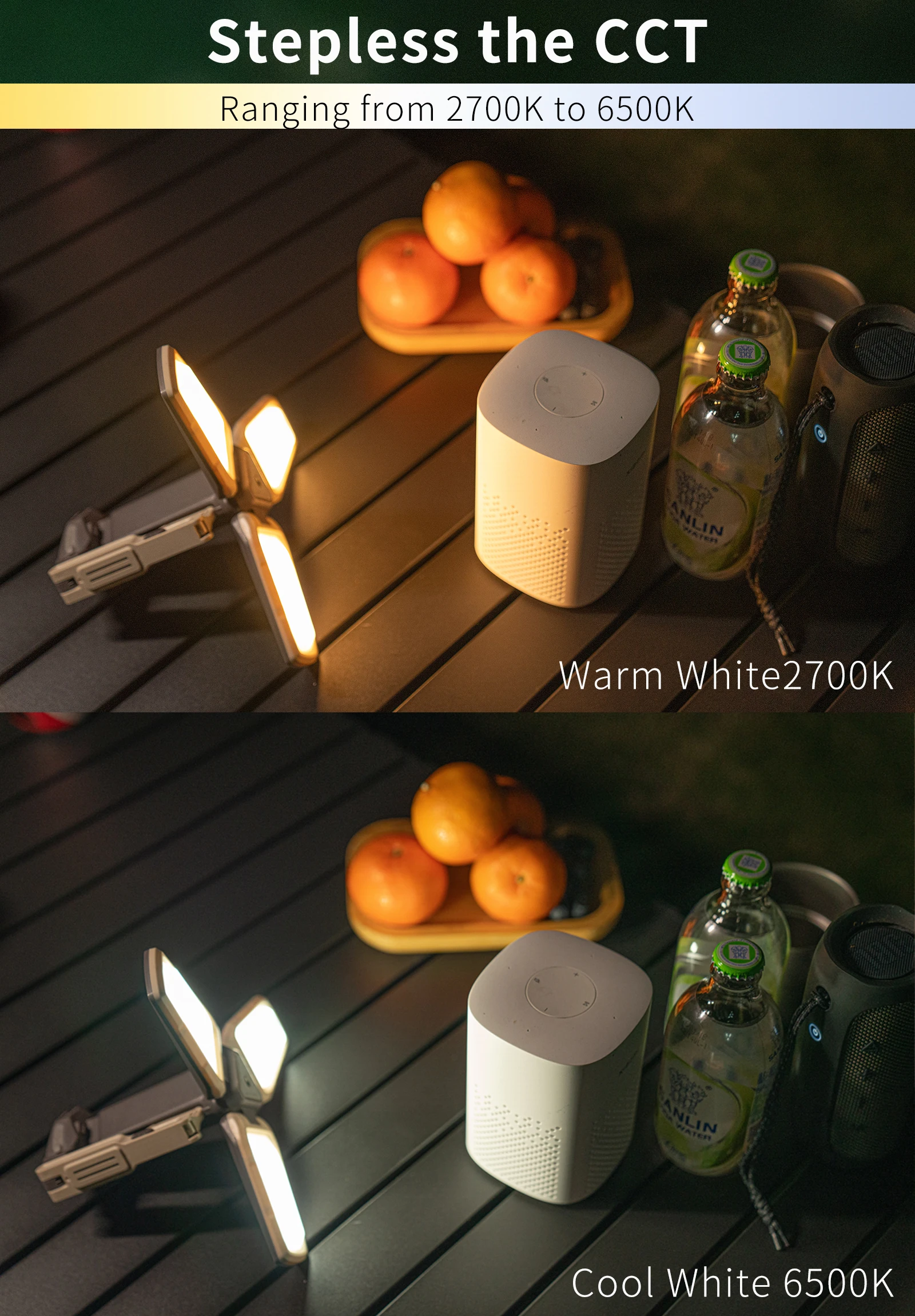
【Stepless the Color Temperature Regulation】the users can define the color temperature in the general mode, ranging from 2700K (warm white) to 6500K (cool white).
【USB-C Fast Charging】 Bult-in 4000mAh 21700 battery and USB-C port (Support 5V/2A)
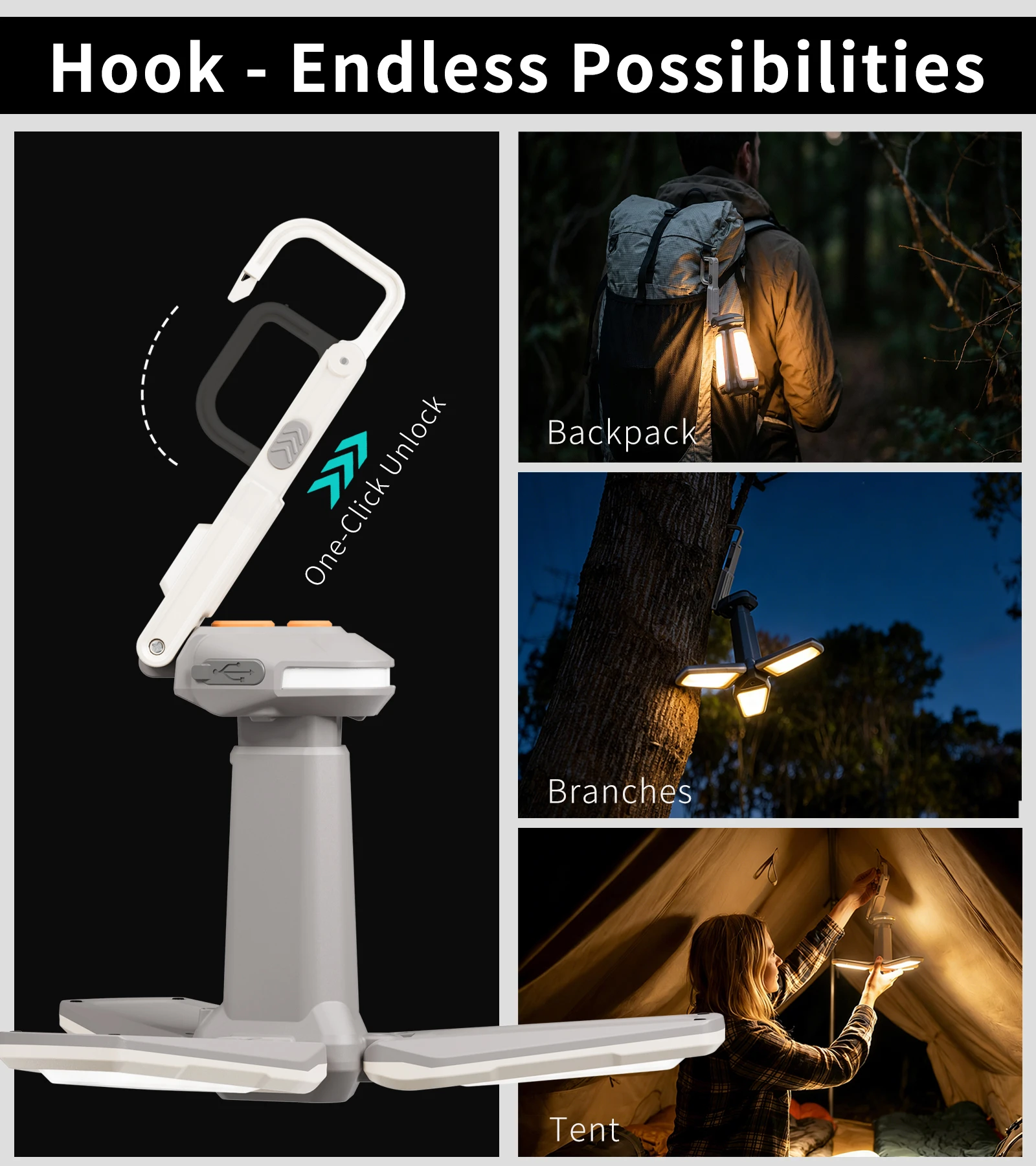
【Hook & Magnetic Base】 The hook uses a unlock-button to switch quickly between a closed anti-drop mode and an open quick-hang mode. The open design increases the hook diameter for more hanging options. Paired with a 210° rotating strong magnet base, it mounts securely on tent poles, metal workbenches.
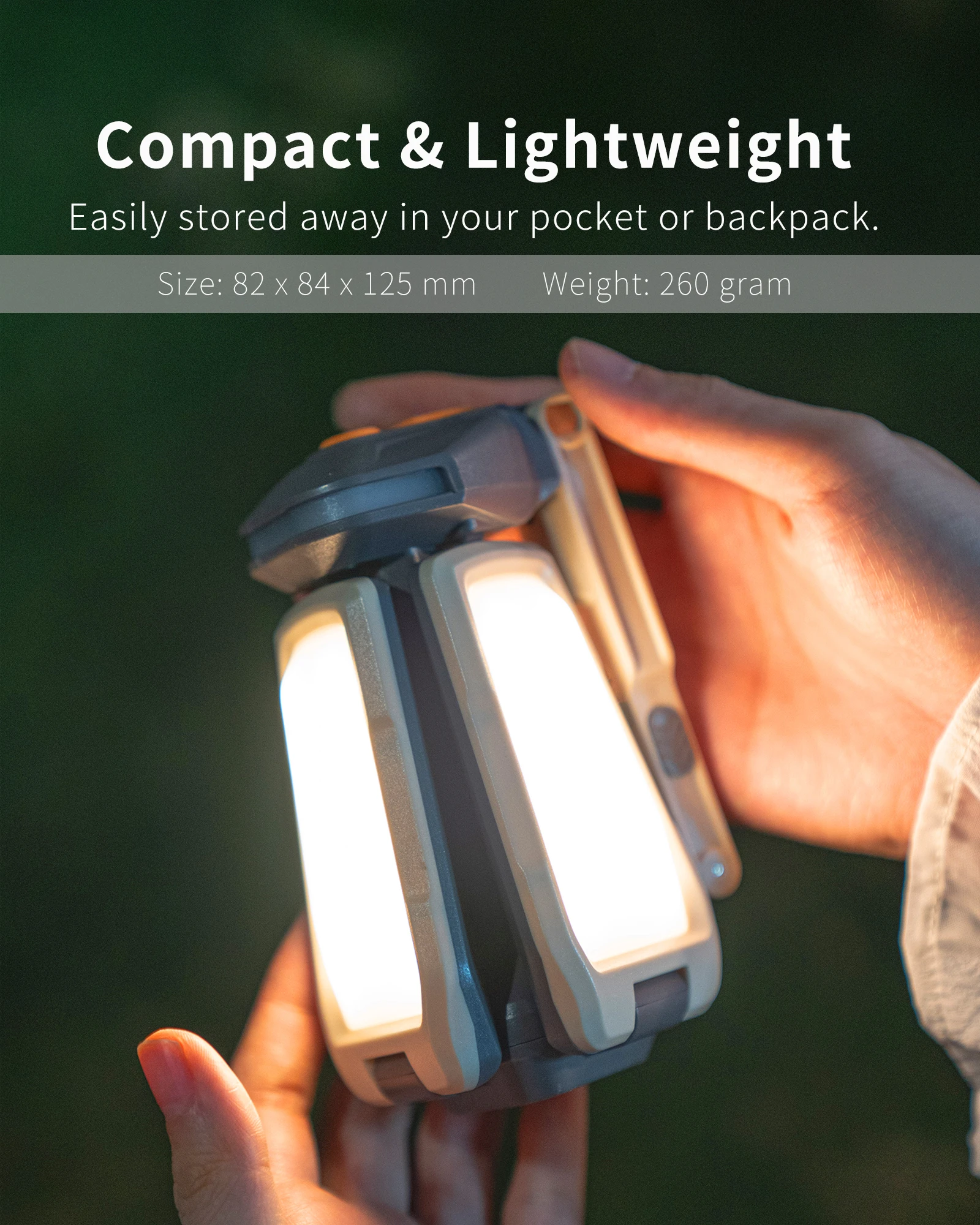
【Lightweight and Compact】 Only 260g and palm size, the lantern can be easily stored away in your pocket or backpack.
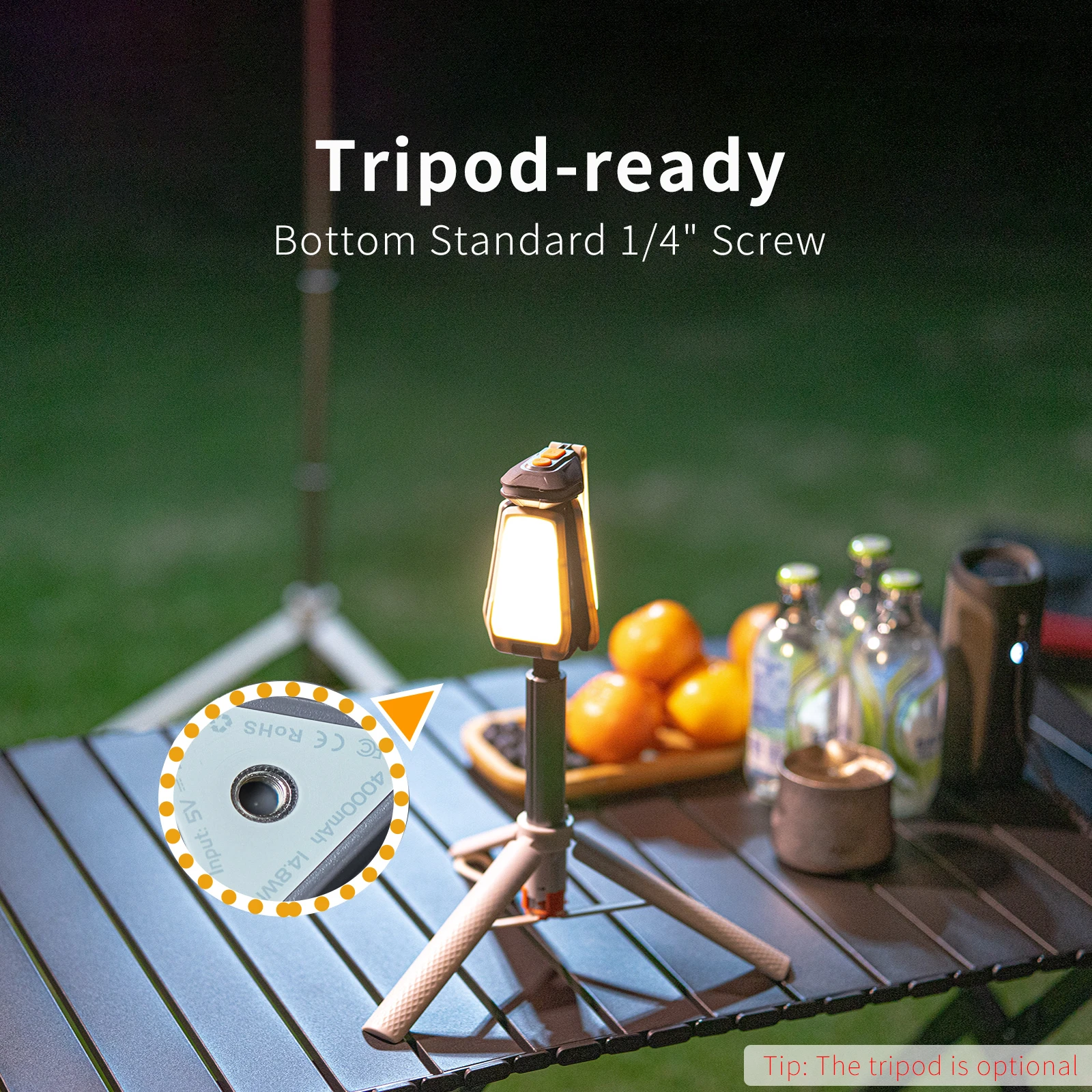
【Tripod-ready】 Bottom tripod socket (1/4" threaded hole) for mounting on the tripod, providing directional illumination for campsites, garages, workshop and photograph.
Specification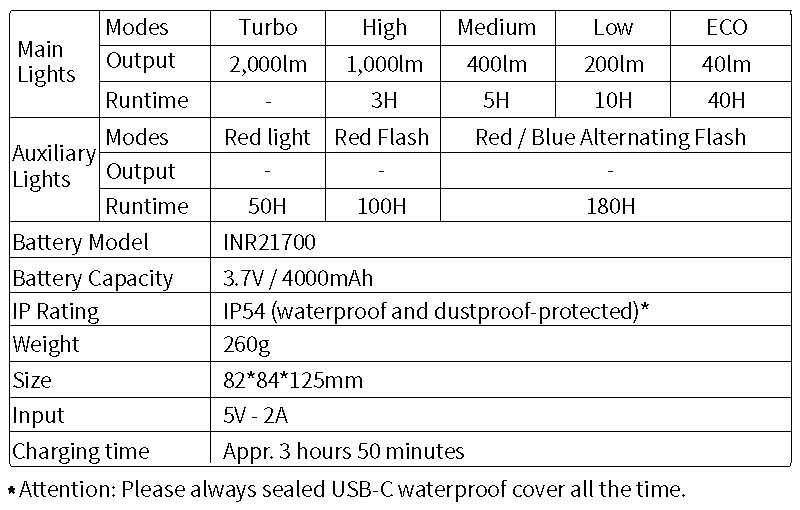
Name of Parts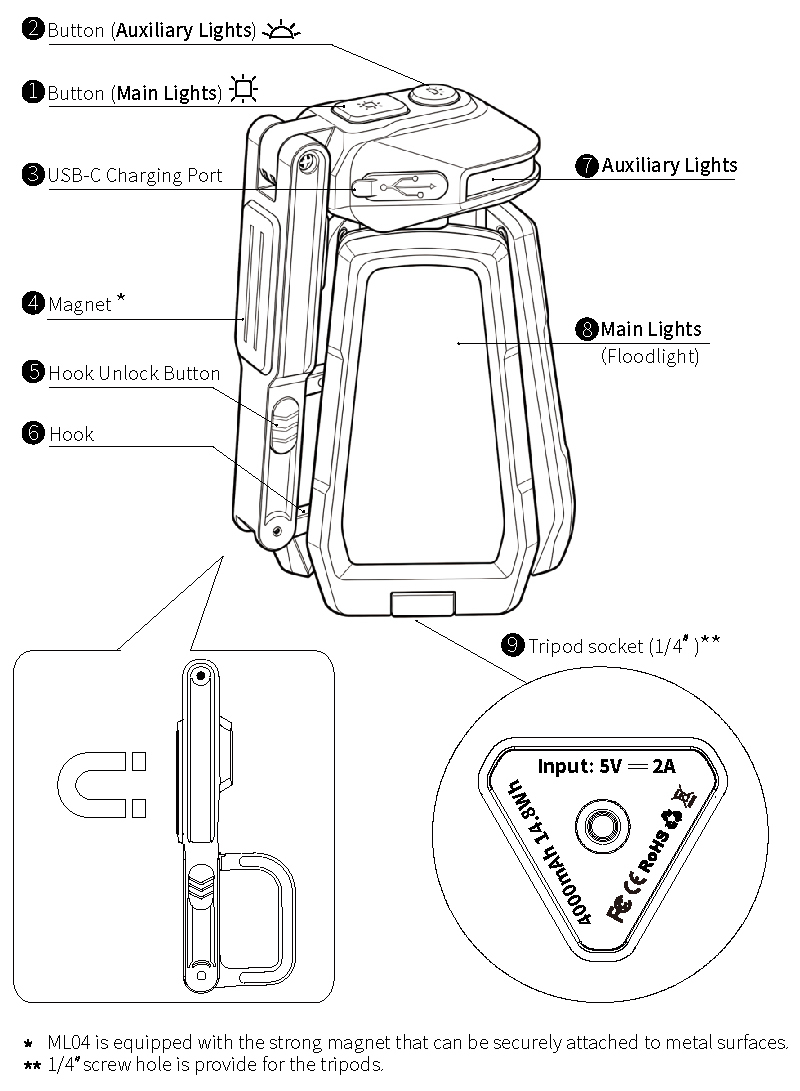
Operating Instructions
Main Light (Floodlight)
• Turn ON
Single click the button (main light) ① to turn on the floodlight.
• Change brightness in the general mode/ Turn OFF
When the main light is on, single click the button (main light) ① to cycle through the brightness levels : ECO (40lm) -> Low (200lm) -> Medium (400lm) -> High (1000lm) -> OFF.
• Stepless change the color temperature (CCT)
Long press 1.5s the button(main light) ① to enter the CCT adjustment mode. The CCT will be steplessly adjusted from 6500K to 2700K, and then back from 2700K to 6500K.
▲ When it reaches either 6500K or 2700K, the cycle will stop and the light will flash once to indicate. To resume adjustment, long press the button (main light) ① again.
• Turbo mode
Quickly double-click the button (main light) ① to activate Turbo mode.
• SOS mode
Triple-click the button (main light) ① to activate SOS mode.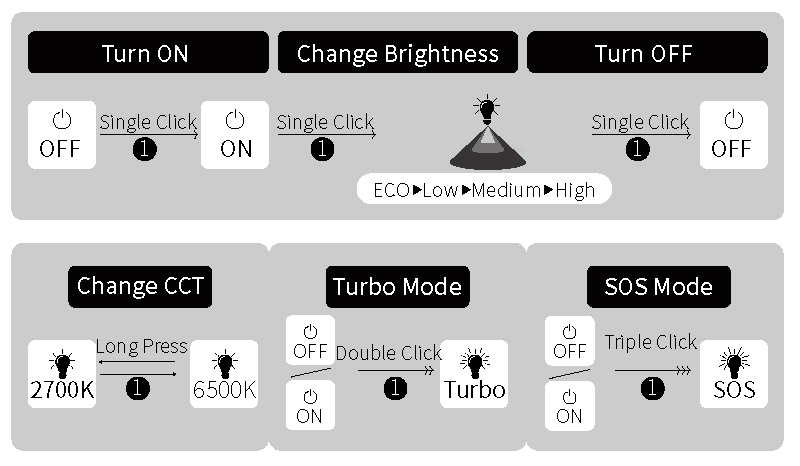
Auxiliary Lights
• Turn ON
Single click the button (auxiliary lights) ② to turn on the light.
• Change Mode / Turn OFF
Single click the button (auxiliary lights) ② to change the mode: Red light -> Red flash -> Red / blue alternating flash -> Turn OFF.
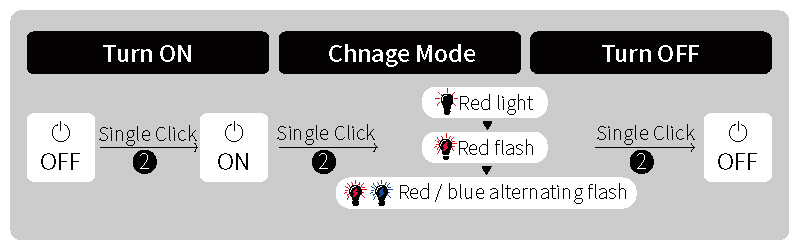
▲ Attention:
◎ ML04 features a memory function that restores the previous mode and brightnss settings upon turning it on.
◎ After 15 seconds of no any operation in the general mode (or auxiliary light), pressing the button ① (or the button ② ) once will turn OFF the floodlight (or auxiliary light).
◎ When ML04 is in the charging status, only ECO (40lm) and Low (200lm) can be lighted.
◎ In SOS mode and Turbo mode, the CCT is fixed at 6500K and can not be adjusted.
◎ To maintain performance, please recharge ML04 at least once every 3 months if it is not used for a long period.
Battery Charging and Battery Level Indicator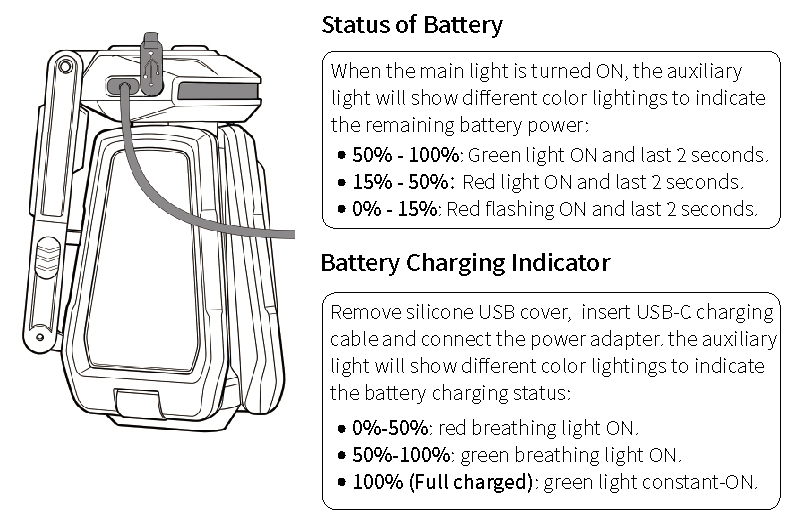
▲ If the battery voltage is low, the main light (floodlight) will also flash twice to indicate it when turn ON the main light (floodlight).
Light Pivoting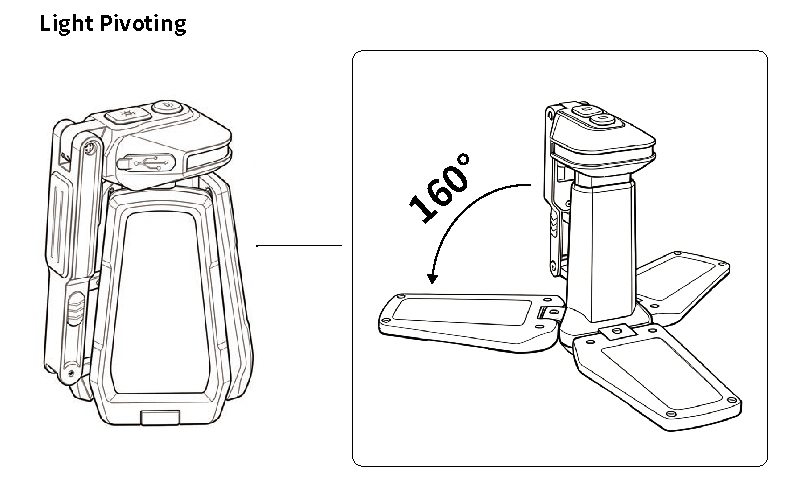
Hook Pivoting & Unlock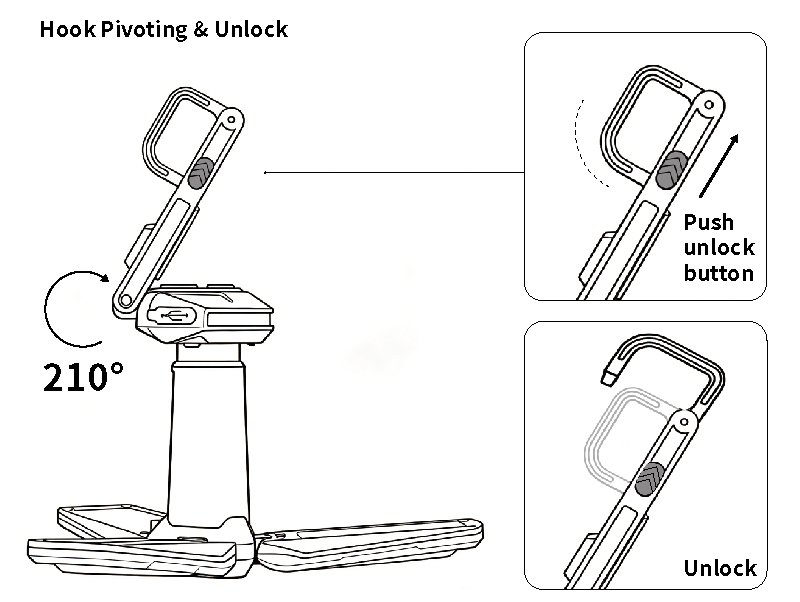
Package content
Tip: If you selected the option 'Add one piece multi-functional tripod + $15.00' when making the order, the package will also content one piece multi-functional tripod. If you selected the option 'No need' when making the order, the package will not content the tripod.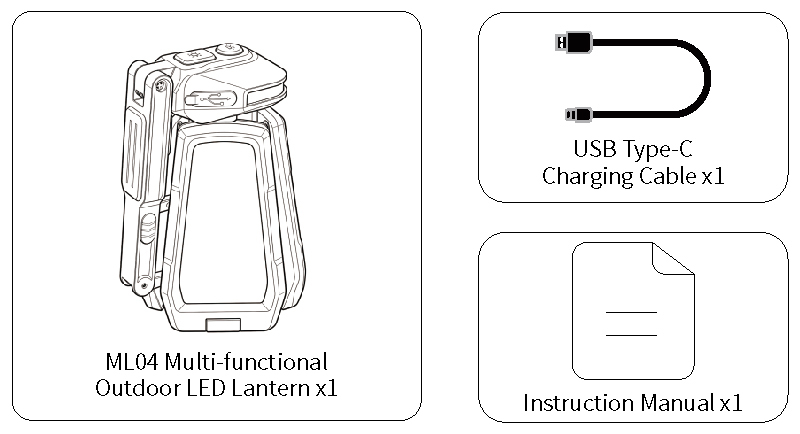
Important Safety Information
◈ Unauthorized disassembly may damage the lantern and void the warranty.
◈ Do place the lantern out of the reach of children.
◈ Do NOT activate the turbo mode repeatedly to avoid surface overheating.
◈ Do NOT shine the lantern directly into the eyes of anyone.
◈ Do NOT shine flammable objects at close range, to avoid burning objects or causing danger due to high temperature.
◈ Operate in a well-ventilated area. Do NOT cover the light during use to avoid overheating.
◈ The LED of the lantern is not replaceable; so the whole lantern should be replaced when the LED reaches the end of its life.
◈ Do NOT charge battery unattended. Unplug the charger after reaching a full charge.
◈ Do NOT charge battery if the ambient temperature is below 0℃(32°F) or above 40℃(104°F).
◈ Do NOT expose the lantern to temperature above 60°C (140°F) such as inside a hot car.
◈ Protect the battery from impact or droping. If the lantern has been subjected to a strong impact, discontinue use.
◈ Immediately discontinue use if the battery emits an unusual smell, feels hot, changes color or shape, or appears abnormal in any way.